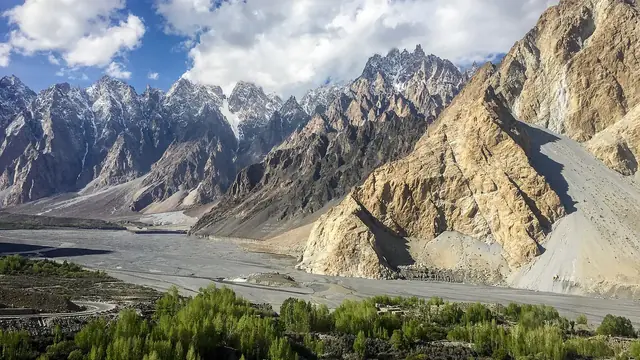

The apps worth having for a Pakistan road trip cover four jobs: offline maps for when signal drops, a mountain-specific weather forecast, road-status alerts for landslides and closures, and a ride-hailing app for the cities at either end of the trip. None of them need much setup, but a few need downloading or testing before you leave a city with reliable Wi-Fi, since some of the most useful ones only work well offline if you've prepared them in advance. Our travel guide covers the wider practicalities these apps support.
| At a glance | |
|---|---|
| Offline maps | Google Maps (download an offline area) or Maps.me |
| Mountain weather | Windy.com or Mountain-Forecast.com, alongside a standard weather app |
| Road status | NHMP.gov.pk and apps covering motorway and highway conditions |
| Ride-hailing | InDrive, Yango or Bykea, useful in cities, not in most of the north |
| Messaging | WhatsApp, near-universal for confirming bookings with hotels and drivers |
Offline maps
Mobile signal drops for long stretches on the Karakoram Highway, in the Kaghan and Neelum valleys, and on most mountain roads, so a map that needs a live connection is not something to rely on. Before you leave a city with good Wi-Fi:
- Download an offline area in Google Maps covering your whole route, not just your destination. This lets you navigate and search without signal, though live traffic and rerouting won't work offline.
- Maps.me is a dedicated offline maps app built around this exact problem, and many independent travellers prefer it for hiking and driving in areas with patchy coverage.
Neither app replaces good judgement on unmarked or recently changed roads; ask locally when a map and the road in front of you don't agree.
Weather apps
A standard weather app is fine for planning your general week in a valley town, but it will understate what a pass or high viewpoint is actually doing, since it's built around the elevation of the nearest town rather than the road ahead of you. For any day involving a pass, high meadow or trek, check a forecast built for mountains, such as Windy.com or Mountain-Forecast.com, alongside your usual app. Our guide to checking the weather before a Northern Areas trip covers this in more depth, including where to find official flash flood and landslide alerts.
Road-status apps
Landslides, seasonal closures and roadwork are a normal part of travelling in the north, and checking status before a long drive saves a wasted day. The National Highways & Motorway Police's own site, nhmp.gov.pk, is the official source for motorway and highway conditions, and there are also third-party apps built specifically around real-time road alerts, closures, diversions and roadwork across Pakistan's highways and northern routes. Treat any single app as a starting point rather than the final word, and confirm with your hotel or driver the evening before a pass day, since conditions can change faster than an app updates.
Ride-hailing apps
Ride-hailing in Pakistan has changed a lot in recent years, and it's worth checking what's actually available before assuming a familiar app will work. Careem suspended its ride-hailing service across Pakistan in 2025, and Uber's presence in the country has scaled back and shifted several times, so don't assume either app will find you a ride; check within the app itself once you land. InDrive, Yango and Bykea (the last mostly for bikes) are among the apps that have kept operating in Pakistan's major cities.
None of this matters much once you're in Gilgit-Baltistan, Azad Kashmir or the mountain valleys of Khyber Pakhtunkhwa, where ride-hailing apps generally don't operate at all; travel there runs on hired cars, drivers and public transport rather than an app. Where they're genuinely useful is getting around Islamabad, Lahore or Karachi at the start and end of your trip.
Booking and messaging apps
International booking platforms list some hotels in the north, but plenty of established guesthouses, especially outside Hunza and Skardu's main hotels, are easier to reach directly by phone or WhatsApp than through an app. WhatsApp in particular is close to universal here for confirming a room, arranging a driver or checking road conditions with someone who's just come from where you're headed. See our guide to booking hotels in the Northern Areas for how this usually works in practice.
What to set up before you leave a city
- Download offline map areas for your whole route, not just the destination
- Save your hotel and driver's WhatsApp numbers, not just an email or booking reference
- Check which ride-hailing app currently works in whichever city you're starting or ending in
- Bookmark or download the road-status source you plan to use
- Test that your maps and weather apps actually work in flight/offline mode before you need them for real
Frequently asked questions
Does Google Maps work offline in Pakistan's Northern Areas?
Yes, if you download the relevant area while you still have a good connection. Live traffic and rerouting won't work offline, but basic navigation and search will.
Is Uber or Careem available in Pakistan?
Their availability has changed considerably in recent years, with Careem suspending ride-hailing in Pakistan in 2025 and Uber's coverage shifting more than once. Check within the app for your specific city rather than assuming either works, and expect InDrive, Yango or Bykea to be more consistently available.
What's the best app for checking if a mountain road is open?
Start with the National Highways & Motorway Police's own site (nhmp.gov.pk) for official status, and back it up with a call to your hotel or driver, since local knowledge often beats an app for a specific stretch of road on a given day.
Do I need a different weather app for mountain passes?
It helps a lot. A standard app is built around the nearest town's elevation and will understate conditions on a pass or high viewpoint, so pairing it with a mountain-specific forecast like Windy.com gives a more realistic picture.